AI game maker workflow

Prompt to Playable Game Generator

SeaVerse turns natural-language game prompts into browser-ready playable games. Describe the mechanics, visual assets, events, upgrades, characters, animations, and balancing rules; then keep refining the result through chat until it feels like a real game.

Create a future ocean survival game with collecting, ship upgrades, crew assignment, sea zones, events, combat, and animated progression. Start Creating

Tutorial: turn a full game design document into a playable game

This tutorial uses your Flood Frontier production prompt as the example. The goal is not to write a generic article about AI game generation. The goal is to show how a creator can feed SeaVerse a real design document with assets, mechanics, economy tables, event logic, crew behavior, ship upgrades, animation rules, and balancing targets, then iterate until the game becomes playable.

Example starting prompt: Create Flood Frontier, a future ocean management game. The core loop is collect resources, build ship parts, recruit crew, assign crew to departments, improve efficiency, upgrade the ship, unlock new sea zones, trigger events, fight monsters, and repeat with higher rewards.

Step 1: define the playable core loop

Start by giving the AI a loop it can turn into moment-to-moment play. In your document, the loop is already clear and production-ready.

1

Player action

The player clicks Collect or Sail to start an ocean search. A two-second progress bar runs, then the game gives resources or triggers an event. This becomes the first playable interaction.

2

Growth action

The player spends resources to upgrade ship parts such as Hull, Storage, Engine, Net, and Kitchen. Once all current parts reach the required level, the ship can advance to the next form.

3

Management action

The player recruits pixel crew members and drags them onto departments. Crew assignments change collect speed, food output, build time, combat power, durability loss, and automation efficiency.

4

Expansion action

Ship upgrades unlock new sea zones: Calm Sea, Scrap Zone, Toxic Water, Storm Sea, Frozen Ocean, and Abyss Water. Each zone changes resource weights, event frequency, monster strength, and reward value.

Prompt pattern: Build the first playable version around the loop: click to collect, show a two-second progress bar, reward weighted resources, allow ship part upgrades, and show a visible ship upgrade when requirements are met.
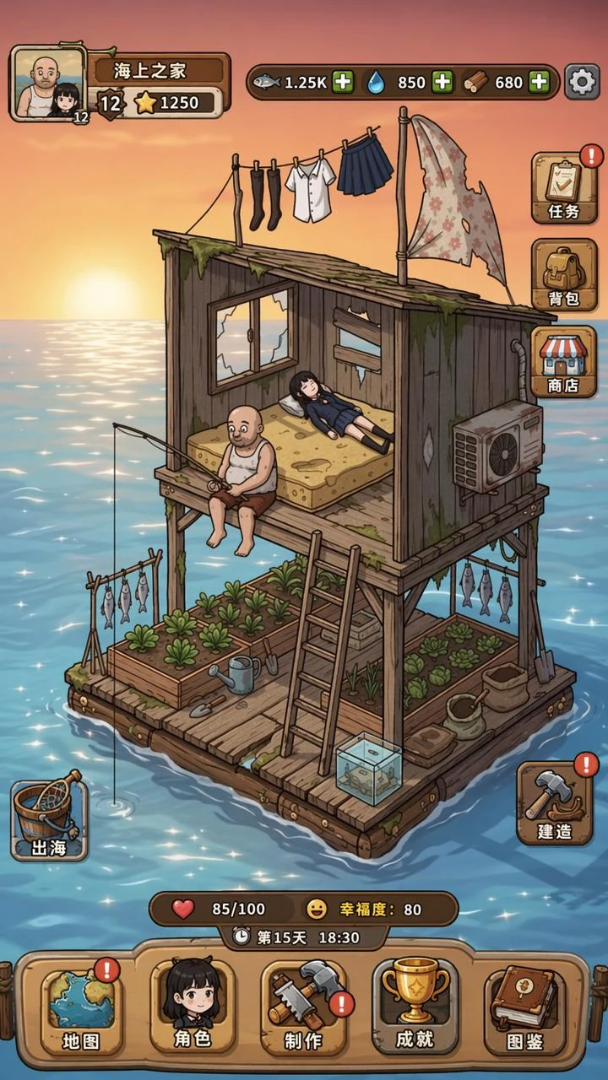
Flood Frontier background reference art for a future ocean survival game

Background reference

Used first to establish the ocean survival scene before any systems are added.
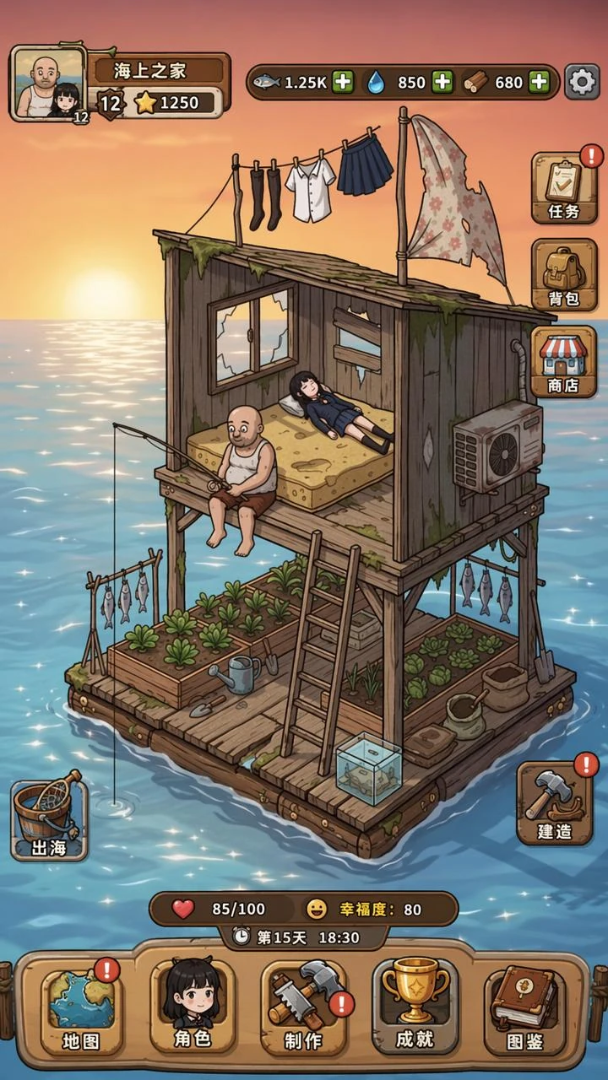
Flood Frontier reference screen showing the target game interface layout

Reference screen

Used to guide the first UI layout, ship placement, buttons, and resource panel hierarchy.
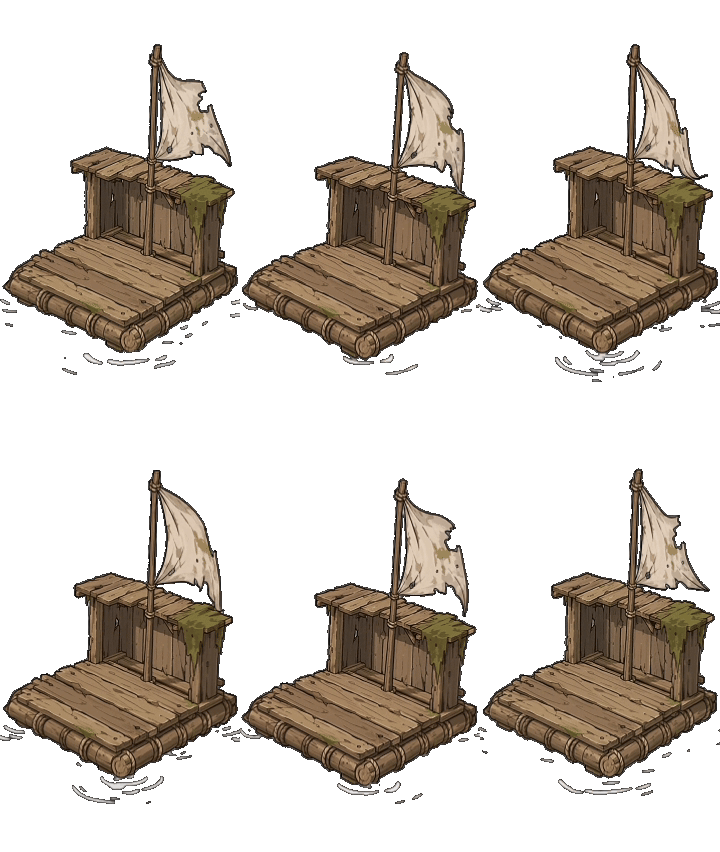
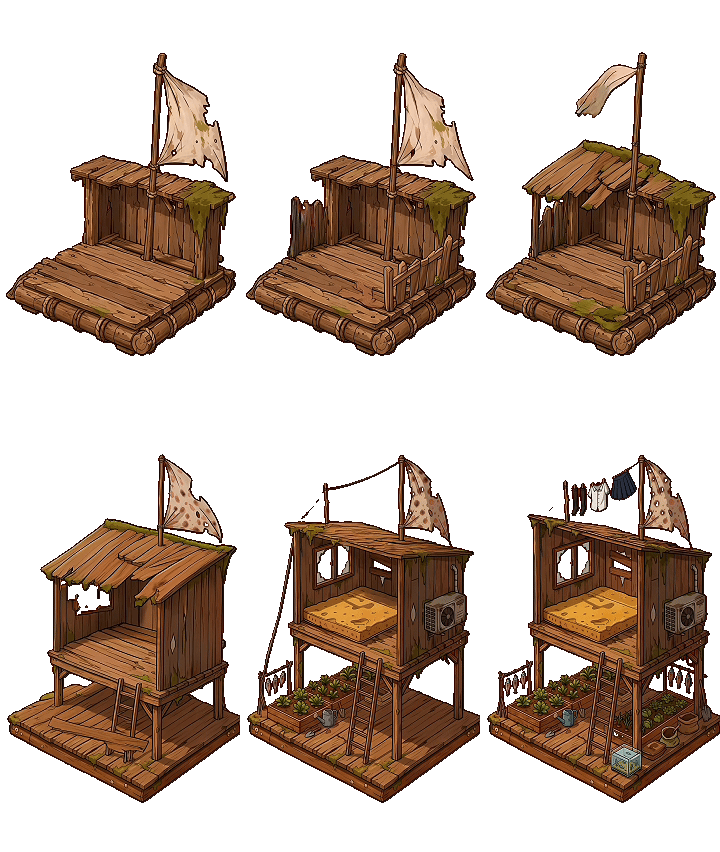
Flood Frontier level 1 starter raft GIF with a simple wooden platform and sail

Starter ship

Placed in the first playable scene for the onboarding loop.

Step 2: provide the asset rules

Your document does something most prompts miss: it tells the AI exactly how assets should be used in gameplay, not just what the game should look like.

Ship level assets

Use GIFs for the starting ship and make the first ship larger so it fills more of the screen. The ship has six levels, with upgrade animations between levels.

Upgrade animation logic

When the player upgrades the ship, play the full-screen upgrade GIF once. After the animation ends, close it automatically and show the upgraded ship on the main screen.

Event animation logic

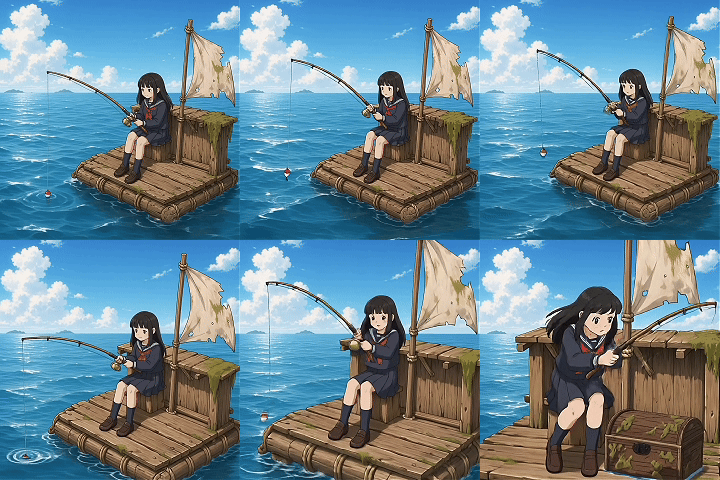
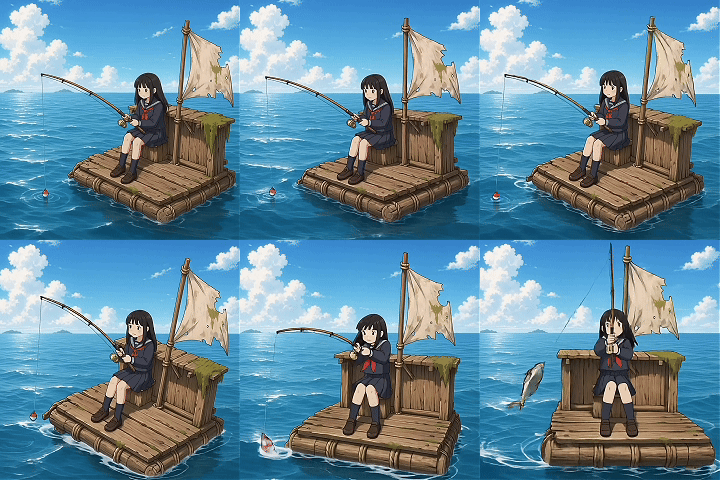
Use one GIF for fish events and another GIF for chest events. Play the animation in the center of the screen, similar to the ship upgrade presentation.

Crew pixel characters

Recruiting should create a draggable high-precision pixel crew member. Each recruit gets a random appearance and two animation states: working and sleeping.

Hover information

When the player hovers over a crew member, show the current food consumption and the department where that crew member is working.

Background and scene

The background uses a provided GIF. The game should keep the ship and crew readable while still showing the ocean survival setting.
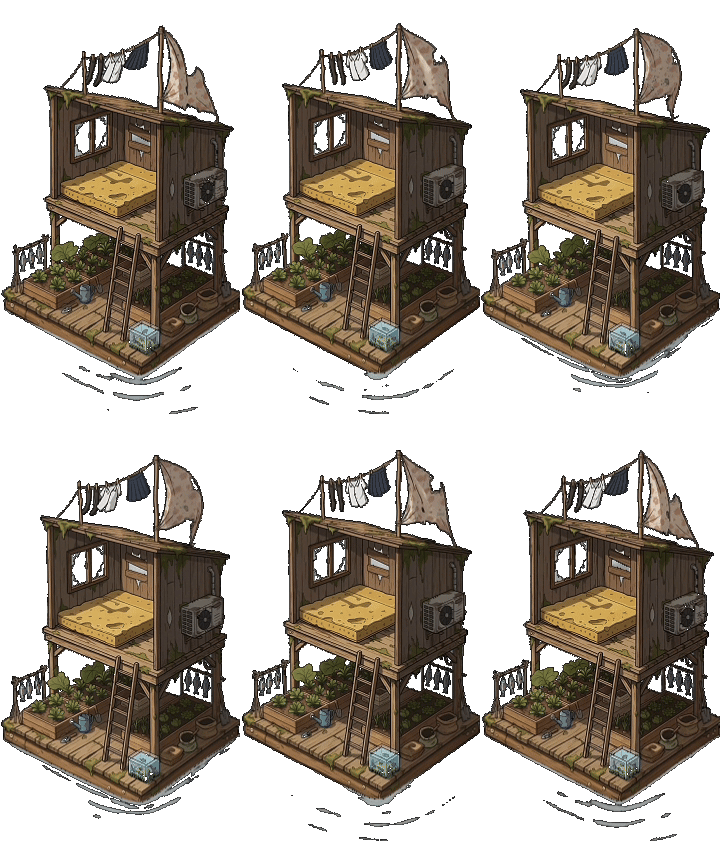
Prompt pattern: Use the uploaded ship GIFs as level visuals. On upgrade, play the matching transition GIF full-screen once, then update the main ship sprite. Use separate event GIFs for fish and chest rewards.
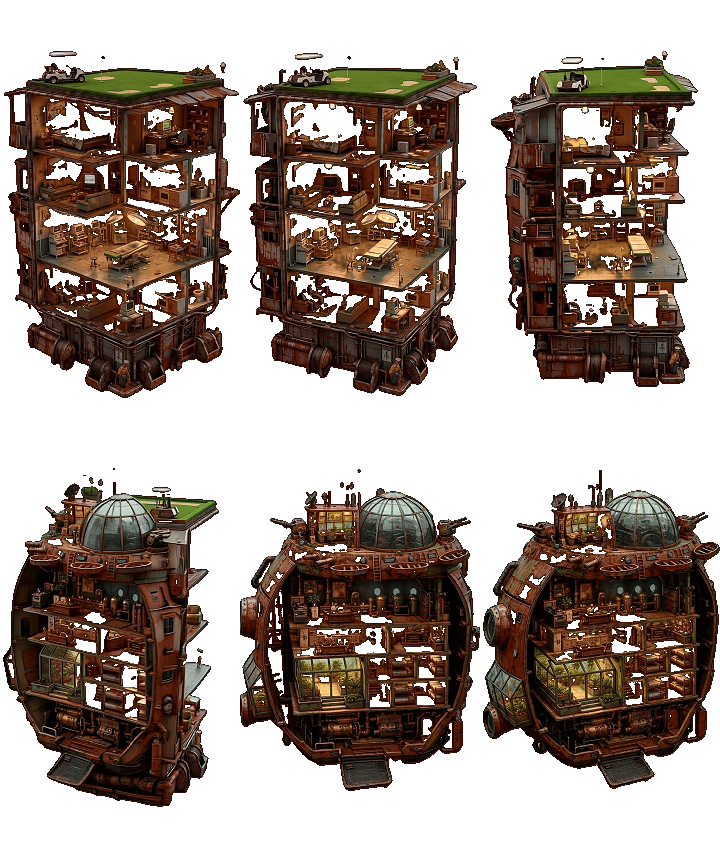
Flood Frontier level 2 ship GIF with a two-story cabin and planting area

Ship Lv2

Shown after the first upgrade animation completes and the tutorial loop ends.
Flood Frontier level 3 reinforced raft GIF with a larger wooden platform

Ship Lv3

Mid-game ship form unlocked after part requirements and crew gates are satisfied.

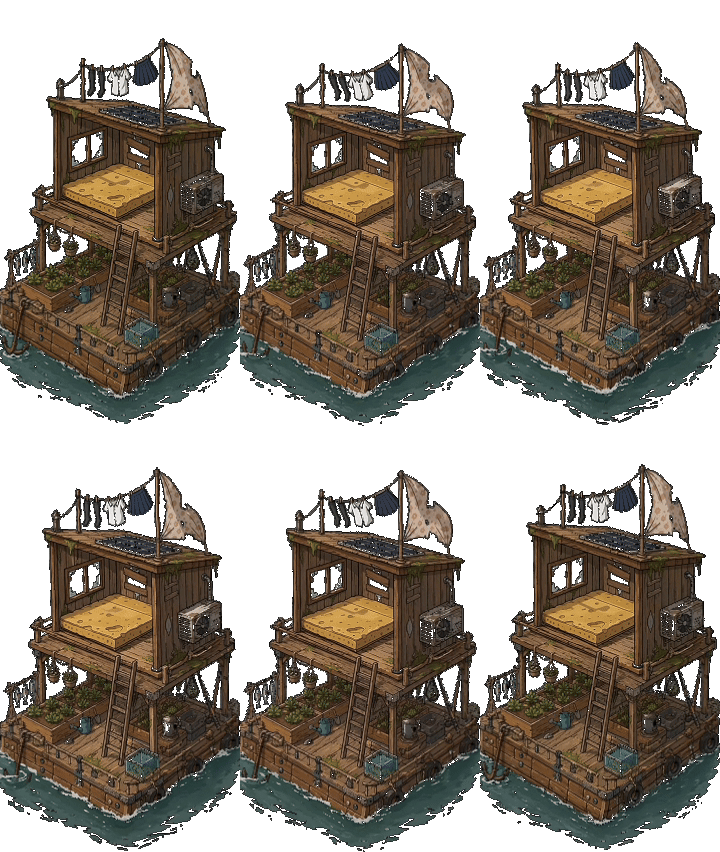
Flood Frontier level 4 three-story ship GIF with more planters and equipment

Ship Lv4

Advanced ship form for Storm Sea and higher-risk resource loops.
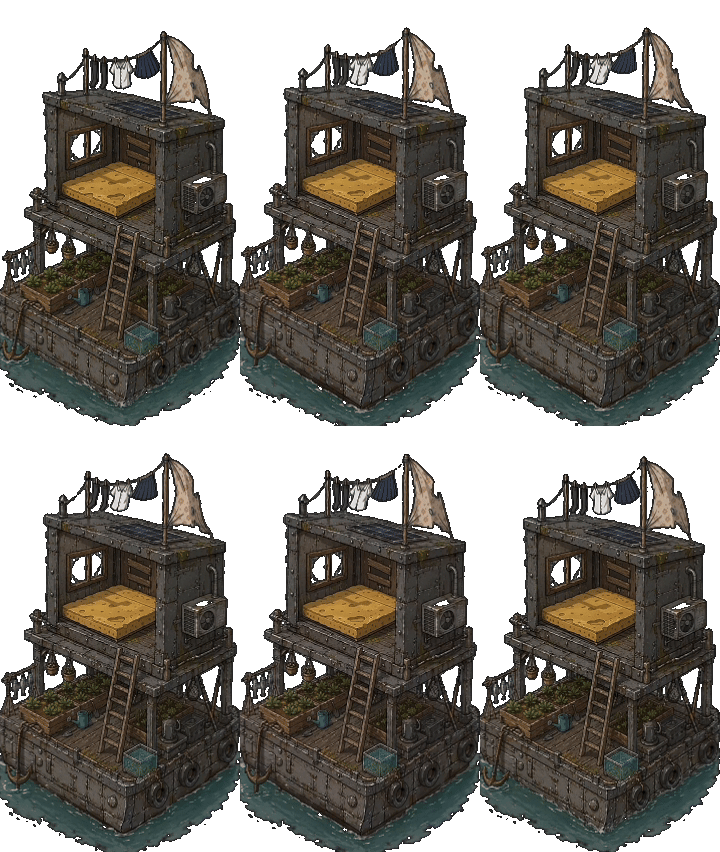
Flood Frontier level 5 advanced houseboat GIF with clear functional zones

Ship Lv5

Late-game ship form with stronger durability and higher resource capacity.
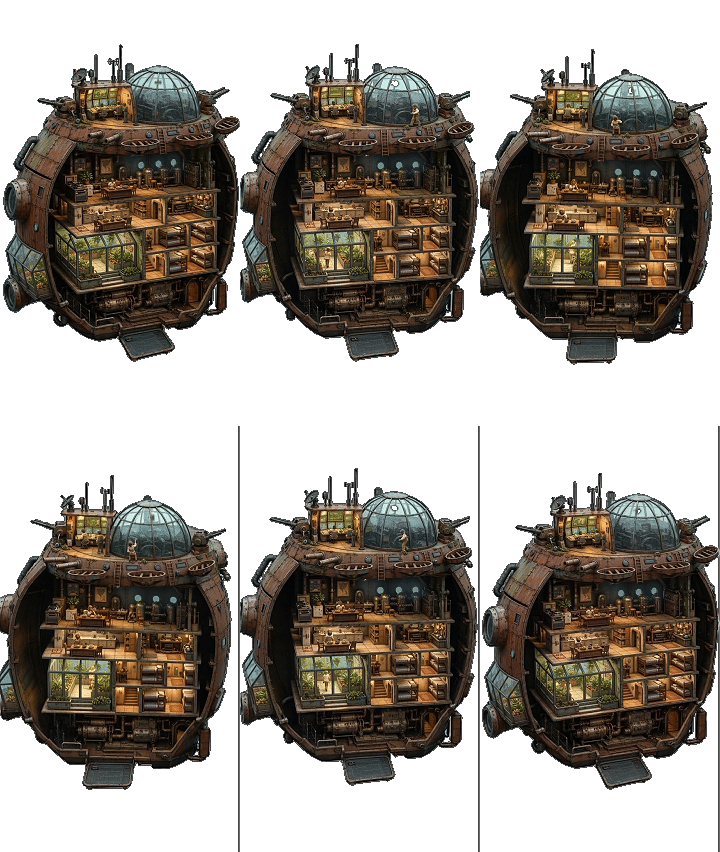
Flood Frontier level 6 luxury ocean home GIF for the final survival base

Ship Lv6

Endgame ship form used for Abyss Water, Core rewards, and long-term progression.
Flood Frontier full-screen ship upgrade animation from level 1 to level 2

Upgrade Lv1 to Lv2

Play full-screen once when upgrade requirements are met, then return to the main UI.
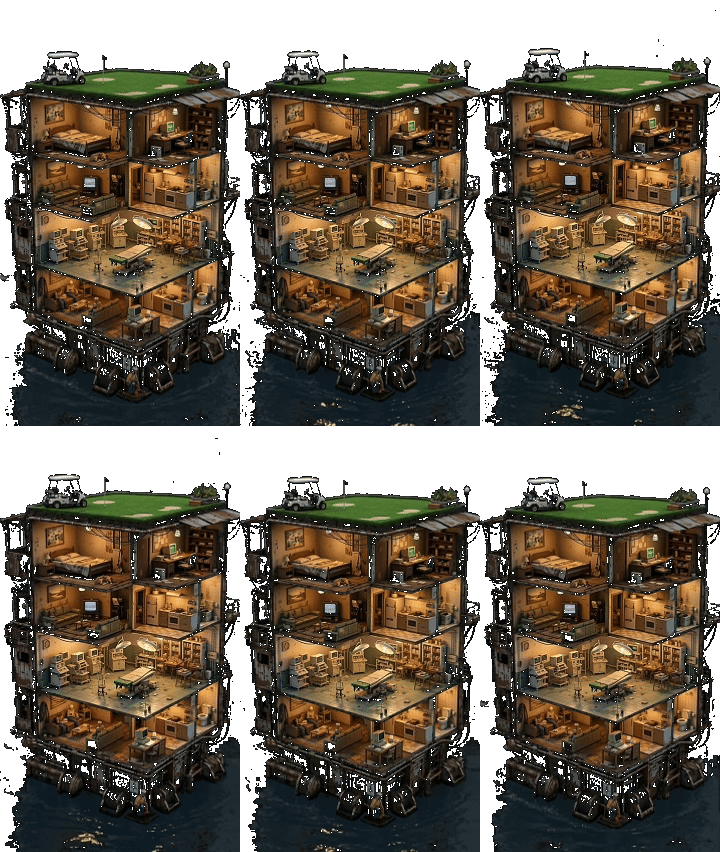
Flood Frontier ship upgrade animation from level 2 to level 3

Upgrade Lv2 to Lv3

Bind this transition GIF to the second ship upgrade and match playback to the GIF duration.
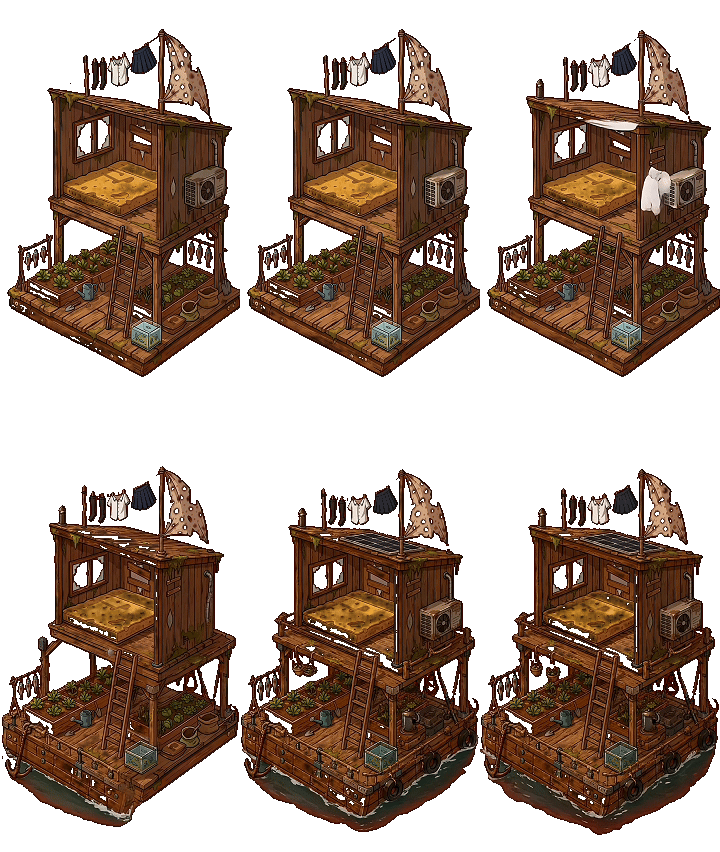
Flood Frontier ship upgrade animation from level 3 to level 4

Upgrade Lv3 to Lv4

Trigger when all Lv3 part requirements, Fuel, Crystal, Food, and crew gates are met.
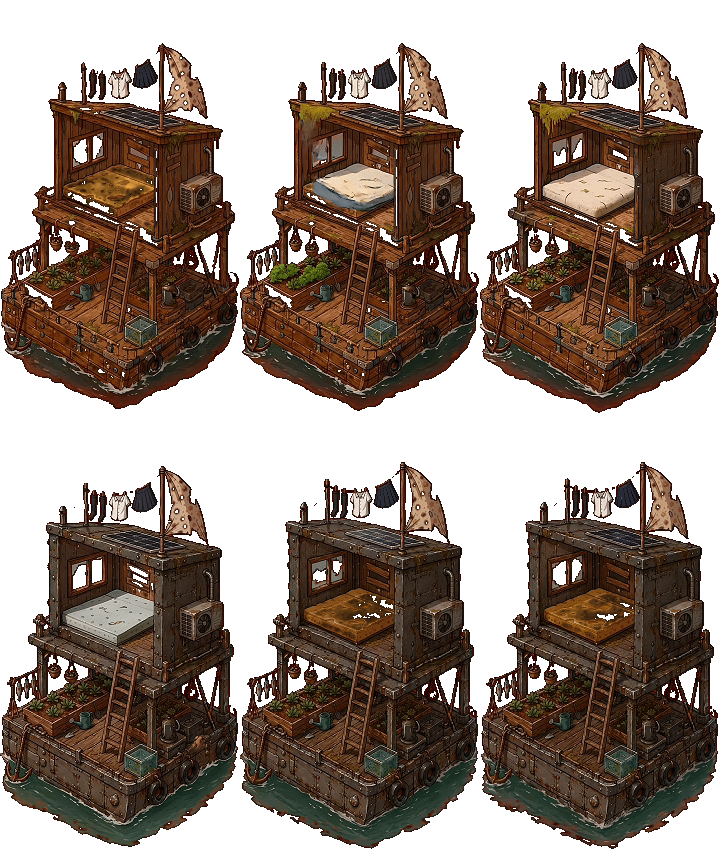
Flood Frontier ship upgrade animation from level 4 to level 5

Upgrade Lv4 to Lv5

Use for the late-game upgrade transition after Crystal, Tech Part, Food, and crew checks.
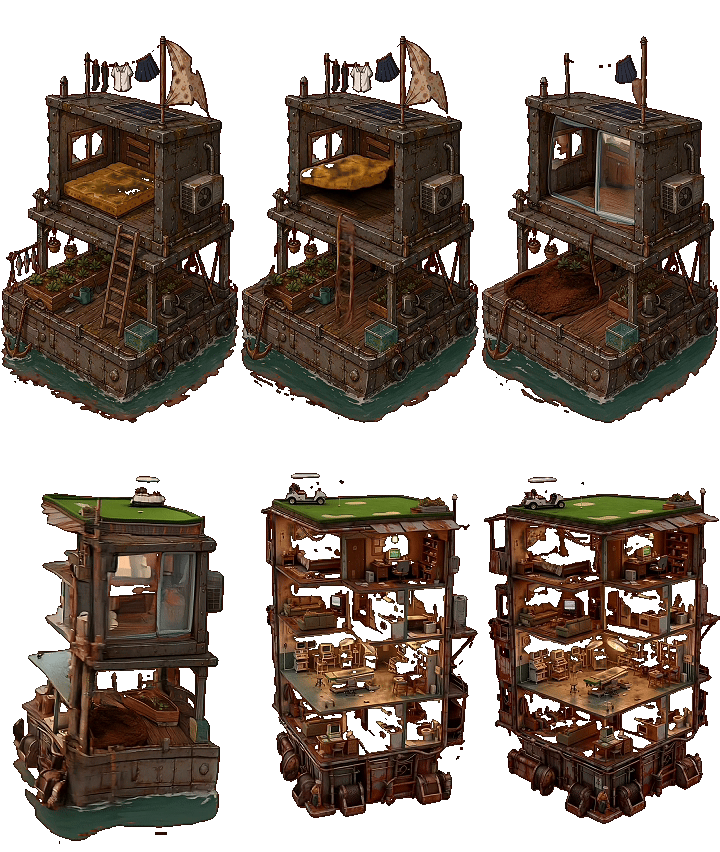
Flood Frontier ship upgrade animation from level 5 to level 6

Upgrade Lv5 to Lv6

Use for the final ship evolution when Core and high-tier resource requirements are met.

Step 3: convert resource tables into game economy

This is where a prompt-to-playable generator becomes more than a visual demo. Your document gives resources, usage, drop weights, exchange rules, and anti-stall logic.

Resource list from the design document

Resource
Game use
Source / gameplay role
Wood
Hull building, early upgrades, durability repair.
Common Calm Sea drop; repair formula uses 1 Wood + 1 Scrap to restore 10 durability.
Scrap
Mechanical upgrades and repairs.
Common in Calm Sea and dominant in Scrap Zone.
Plastic
Containers, early tech, and ship progression gates.
Calm Sea and Scrap Zone drop; required for the first ship upgrade.
Cloth
Crew facilities and survival-related construction.
Tradeable basic material used to support crew systems.
Food
Crew survival and production stability.
Each crew member consumes 5 Food per minute; starvation reduces efficiency.
Fuel
Advanced sailing and mid-game ship upgrades.
Appears from Scrap Zone onward and in chest rewards.
Crystal
High-tier ship upgrades and late-game progression.
Appears in Toxic Water, Storm Sea, Frozen Ocean, and Abyss Water.
Core
Final ship upgrade and boss-tier progression.
Abyss Water reward; required for Lv5 to Lv6.
Tech Part
Advanced systems, high-level upgrades, and technology unlocks.
Chest reward and high-zone drop from Storm Sea onward.

Sea-zone drop weights

Sea zone
Wood
Scrap
Plastic
Food
Fuel / Crystal
Tech / Core
Calm Sea Lv1
40
30
20
10
-
-
Scrap Zone Lv2
20
40
30
-
Fuel 10
-
Toxic Water Lv3
-
20
35
10
Fuel 25 / Crystal 10
-
Storm Sea Lv4
-
25
-
10
Fuel 35 / Crystal 20
Tech Part 10
Frozen Ocean Lv5
-
-
-
20
Fuel 25 / Crystal 40
Tech Part 15
Abyss Water Lv6
-
-
-
-
Fuel 20 / Crystal 30
Tech Part 25 / Core 25

Exchange rules

Exchange target
Rate
Player action
Why it matters
Basic materials
2 : 1
Choose which resource to spend, such as 2 Wood for 1 Plastic.
Prevents early progression from getting stuck on one missing material.
Food
1 : 5
Convert any resource into Food.
Protects crew survival and keeps the management loop moving.
Fuel
5 : 1
Spend lower-value resources to obtain Fuel.
Supports advanced sailing and higher-zone access.
Credits
2 : 1
Trade resources into Credits where needed.
Adds a flexible currency layer for rewards and unlocks.
Prompt pattern: Add a resource bar for Wood, Scrap, Plastic, Cloth, Food, Fuel, Crystal, Core, Tech Part, and Credits. Every collect action should always return 1-3 resources or trigger an event. Add exchange controls: basic materials trade 2:1, Food trades 1:5, Fuel trades 5:1, and Credits trade 2:1.

Step 4: build events as playable mini-interactions

The document does not just say “add events.” It defines event probabilities, reward pools, interaction rules, and failure penalties.
Event type
Design rule from the document
Playable result
Normal resources
75% event outcome. Resource drops use sea-zone weights and never return empty rewards.
Progress bar completes, resource rewards animate into the inventory, and storage checks update.
Fish event
10% event chance. Normal fish gives Food +10; rare fish gives Food +30 and Credits +10.
Play the fish GIF and ask the player to tap the lower button to fill a fishing meter.
Chest event
8% event chance. Reward pool includes basic resources, Fuel, Crystal, Tech Part, or Crew Ticket.
Play the chest GIF, use a tap-to-open meter, then reveal rewards from the weighted pool.
Monster event
7% event chance. Combat uses HP, attack, defense formula, sea-zone scaling, and failure penalties.
Show a combat warning, run the battle check, then grant victory rewards or subtract durability and Food on failure.

Monster scaling table

Sea level
Monster HP
Monster ATK
Failure penalty
Lv1
20
3
Durability -10%, Food -20
Lv2
40
5
Durability -10%, Food -20
Lv3
80
8
Durability -10%, Food -20
Lv4
160
12
Durability -10%, Food -20
Lv5
300
18
Durability -10%, Food -20
Lv6
500
30
Durability -10%, Food -20
Prompt pattern: When Sail is clicked, check the current task. If it is collect, run the resource collect animation. If it is fish or chest, play the matching GIF and require repeated taps to fill the progress meter. If it is battle, show a combat prompt and run the battle formula.
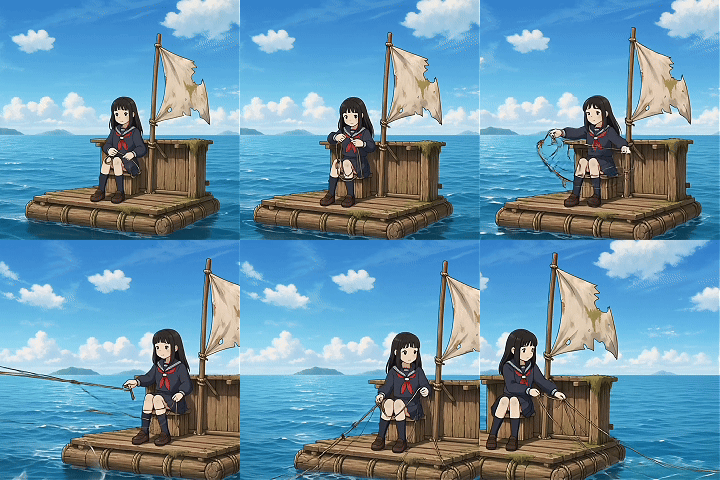
Flood Frontier collection animation for Sail and resource search actions

Collect / Sail animation

Attached to the two-second search state before rewards or events are resolved.
Flood Frontier fish event GIF for food and rare fish rewards

Fish event

Displayed when the fish event triggers, with repeated taps filling a fishing meter.
Flood Frontier treasure chest event GIF for resource rewards

Chest event

Displayed when the treasure event triggers, with repeated taps opening the chest.

Step 5: add crew departments and survival pressure

The crew system is the strongest management layer in your document. It turns a clicker loop into a resource-management game.

Collection Dept

Reduces collect time with the formula: CollectTime = 2 / (1 + 0.3 x Crew). More crew means faster resource cycles.

Engine Dept

Each crew member gives speed +10% and durability loss -5%, making advanced sea zones safer and faster.

Workshop Dept

Reduces build time with the formula: BuildTime = Base / (1 + 0.25 x Crew), so construction becomes an assignment decision.

Kitchen Dept

Each crew member increases Food gain by 20%, helping the player support a larger crew and avoid starvation.

Defense Dept

Each crew member adds Attack +5, improving monster battle outcomes and reducing the pain of dangerous zones.

Food pressure

Every crew member consumes 5 Food per minute. If Food reaches zero, Starving triggers: work efficiency -70%, combat power -50%, and mood declines.
Prompt pattern: Add draggable crew members with random pixel appearances. Let players assign them to Collection, Engine, Workshop, Kitchen, or Defense. Show working and sleeping animations, and display Food consumption plus work location on hover.
Flood Frontier pixel crew reference GIF with working and sleeping animation style

Pixel crew reference

Used as the style anchor for random crew appearances, work animations, and sleeping states.

How this asset is used

SeaVerse should generate multiple crew variants from this style, spawn one random recruit per hire, make each character draggable, and switch between work and sleep states based on assignment and rest logic.

Step 6: implement ship progression and pacing

Your document gives clear upgrade gates, level names, part unlocks, durability values, and target playtime. That makes the game easier to generate and easier to tune.

Progression layer
Rules from the document
Tutorial implementation
Ship levels
Lv1 to Lv6, from starter raft to advanced floating fortress style progression.
Represent each level with a distinct ship visual and transition animation.
Upgrade gates
Lv1 to Lv2 requires Wood 3, Scrap 3, Plastic 3, and 1 crew. Later levels require upgraded parts, Food, Fuel, Crystal, Tech Part, Core, and higher crew counts.
Show requirements in the upgrade panel and enable the upgrade button only when all conditions are met.
Part unlocks
Initial parts: Hull, Storage, Engine, Net, Kitchen. Later unlocks include Workshop, Defense, Radar, and Auto System.
Reveal new department slots and part cards as the ship levels up.
Pacing targets
Lv1 to Lv2 in 5 minutes, Lv2 to Lv3 in 20 minutes, Lv3 to Lv4 in 1 hour, Lv4 to Lv5 in 3 hours, Lv5 to Lv6 in 8 hours.
Use these timing targets to tune drop rates, costs, rewards, and event frequency.
Prompt pattern: Implement ship upgrades with six ship levels. Require all current parts to reach the needed level before ship advancement. On upgrade, play the matching full-screen GIF for its actual duration, then close the animation and update the ship visual.

Step 7: keep iterating with production prompts

The real value of SeaVerse is not one prompt. It is the ability to keep giving precise production instructions after the first playable version exists.

Iteration prompt: asset behavior

“Use the new Lv3, Lv4, Lv5, and Lv6 ship assets. The next uploaded GIFs are the upgrade transitions from 2-3, 3-4, 4-5, and 5-6. Match each transition to the correct upgrade.”

Iteration prompt: event logic

“When the player gets a fish event, play the first GIF and require repeated taps to fill the meter. When the player gets a chest event, play the second GIF and require repeated taps to open the chest.”

Iteration prompt: crew visuals

“The current pixel crew style is good. Generate more variations. Each recruit should randomly use one appearance and include both working and sleeping animations.”

Iteration prompt: exchange UX

“Optimize material trading. Let players click the plus beside each resource, choose which material to spend, exchange basic materials 2:1, Food 1:5, Fuel 5:1, and Credits 2:1.”

Why prompt to playable matters

Most AI tools stop too early. A playable game needs connected systems: interaction, feedback, state, visuals, economy, progression, and recovery from edge cases.

It keeps creative momentum

Creators can move from “make the starter ship larger” to “change the recruitment hover tooltip” to “rebalance food consumption” without rebuilding the project from scratch.

It supports real production iteration

A playable game is never finished after the first prompt. SeaVerse helps creators keep refining details: animation timing, failure states, reward pacing, event prompts, and user guidance.

It turns detailed specs into systems

Large design documents can be translated into structured gameplay: resource weights, upgrade formulas, crew caps, combat formulas, sea-zone rewards, and endgame loops.

It makes publishing the natural endpoint

The workflow should end with something users can open and play, not a folder of disconnected scripts, images, and notes.

Turn your next game prompt into a playable build

Start with a sentence, a design document, or a detailed system spec. SeaVerse helps convert it into a browser-ready game. You can also play the Flood Frontier example created from this tutorial.

Explore more AI game maker guides

These pages build a connected SEO cluster around AI game creation, agentic workflows, and playable output.

FAQ

Quick answers for creators evaluating prompt-to-game workflows.

What is a prompt to playable game generator?

It is an AI game maker that turns natural-language prompts into interactive games. A good workflow generates more than code: it creates mechanics, UI, assets, events, feedback, and a playable loop.

Can SeaVerse handle detailed game design documents?

Yes. Detailed prompts can describe resource tables, upgrade requirements, event probabilities, animation behavior, crew systems, combat rules, and pacing targets. SeaVerse can help convert those details into playable game logic.

Can I change the game after generation?

Yes. The workflow is iterative. You can ask for new assets, new ship levels, different event animations, revised exchange logic, adjusted progression speed, or better onboarding.

Is prompt-to-playable only for simple games?

No. It works especially well for structured casual, simulation, management, arcade, and narrative games where the creator can describe loops, systems, rewards, and interactions clearly.